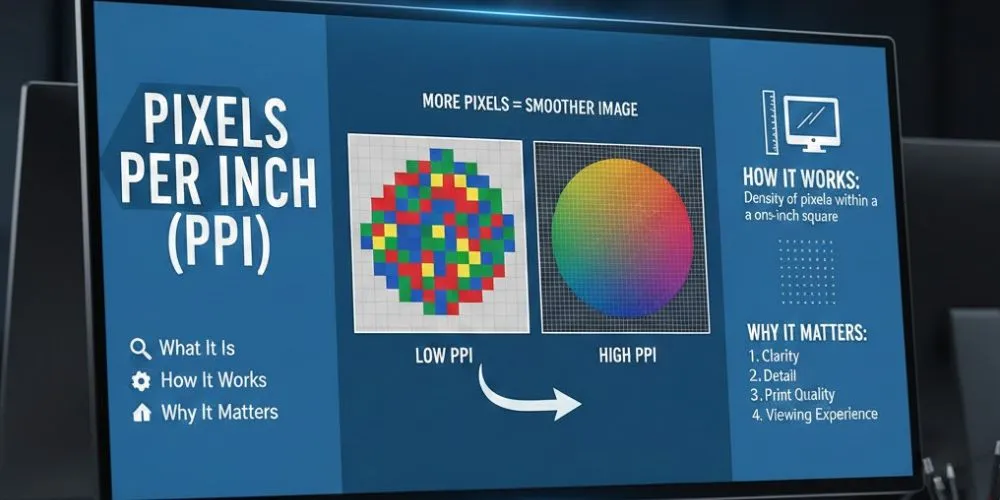
Pixels Per Inch, commonly known as PPI, is one of the most important concepts in digital imaging, screen displays, and print design. Whether you are a graphic designer, photographer, web developer, or someone who simply wants sharper images, understanding PPI helps you make better decisions about image quality and size. While the term may sound technical, the idea behind it is actually quite simple.
This article explains what PPI is, how it works, how it differs from resolution, and why it matters for both screens and printing.
What is Pixels Per Inch (PPI)?
Pixels Per Inch (PPI) refers to the number of pixels packed into one inch of physical space on a digital image or display. It measures pixel density, not image size. A higher PPI means more pixels are squeezed into each inch, resulting in sharper and more detailed visuals. A lower PPI means fewer pixels per inch, which can make images appear blurry or pixelated.
Pixels themselves are tiny square dots that form images on screens. Because pixels are not fixed in physical size, their appearance depends on how closely they are arranged. PPI tells us how tight or loose that arrangement is.
To make this easier, you can use an inches to pixels converter, which calculates how many pixels correspond to a specific physical measurement based on your desired PPI. For example, if you want an image that is 3 inches wide at 300 PPI, the converter will tell you that it needs to be 900 pixels wide. This makes planning image dimensions for digital displays or print straightforward and accurate.
PPI vs Image Resolution
PPI is often confused with image resolution, but the two are not the same.
Image resolution refers to the total number of pixels in an image, usually written as width × height (for example, 1920 × 1080). This tells you how many pixels exist in total.
PPI, on the other hand, describes how those pixels are distributed across physical space. Two images can have the same resolution but different PPI values, which means they will appear different in size and sharpness when displayed or printed.
For example, an image with 3000 × 2000 pixels can look large and soft at a low PPI, or smaller and much sharper at a high PPI. The pixels stay the same only their density changes.
How PPI is Calculated
PPI is calculated by dividing the number of pixels by the physical size in inches. This calculation can be done horizontally, vertically, or diagonally. Most displays use diagonal measurement because screen sizes are advertised that way.
In simple terms:
- More pixels in a smaller area = higher PPI
- Same pixels spread over a larger area = lower PPI
When you resize an image without adding pixels, the PPI value changes automatically. Increasing the physical size lowers PPI, while reducing the physical size increases it.
Why PPI Matters
PPI for Digital Screens
On digital screens, PPI directly affects sharpness and clarity. High-PPI screens display text, icons, and images with smoother edges and finer detail. This is why smartphones, tablets, and modern laptops often look much sharper than large televisions, they pack more pixels into every inch.
Low-PPI screens may show jagged text edges, visible pixels, or soft images, especially when viewed up close. Higher PPI becomes more important when users sit closer to the screen.
PPI for Printing
PPI is crucial when printing images. If an image has a low PPI at the intended print size, the result can look blurry or pixelated. For high-quality prints, images need enough pixel density to maintain sharpness on paper.
Because printed images are viewed closely, even small imperfections can stand out. The right PPI ensures sharp lines, smooth gradients, and high-quality results.
PPI for Design and Photography
For designers and photographers, PPI plays a key role in workflow. Choosing the correct PPI early helps avoid resizing issues later. Scaling an image above its ideal PPI compromises clarity, whereas scaling it down too much increases file size without benefit.
Understanding PPI helps professionals balance quality, performance, and usability, especially when preparing assets for different platforms like web, mobile, and print.
PPI vs DPI: What’s the Difference?
PPI and DPI are often used interchangeably, but they serve different purposes.
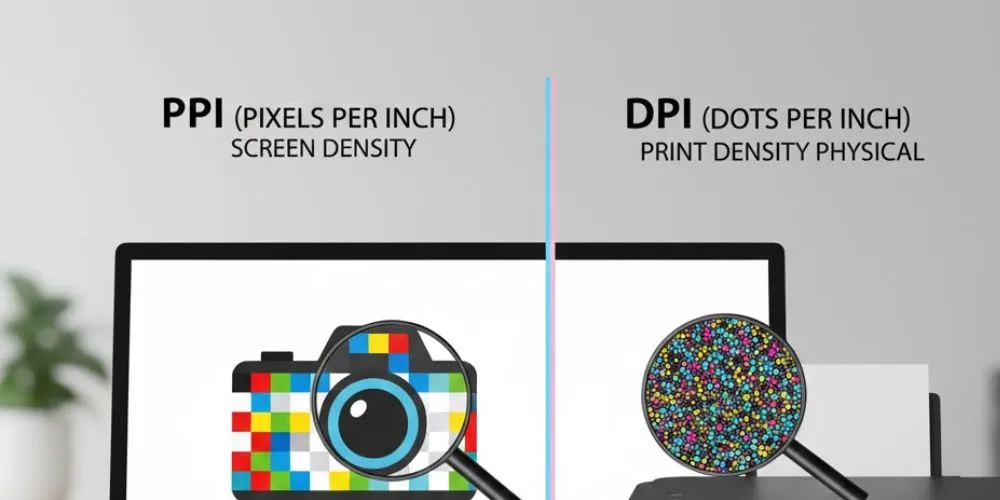
- PPI (Pixels Per Inch) is used for digital images and screens.
- DPI (Dots Per Inch) refers to printer output and how ink dots are placed on paper.
While they both describe density per inch, PPI belongs to the digital world, and DPI belongs to printing hardware. Mixing the two terms can cause confusion, especially when preparing images for print.
Common PPI Values Explained
- Low PPI: Suitable for large displays viewed from a distance
- Medium PPI: Balanced quality for everyday screens and general use
- High PPI: Ideal for professional design, photography, and close-viewed displays
Viewing distance plays a major role. A high PPI is more noticeable on small screens viewed closely, while large screens can work well with lower PPI if viewed from farther away.
Common Myths About PPI
One common misconception is that increasing PPI automatically improves image quality. In reality, increasing PPI without adding pixels only makes the image physically smaller. Another myth is that higher PPI is always better. The best PPI depends on how and where the image will be used.
PPI improves sharpness only when enough pixel data exists to support it.
Wrapping Up
Pixels Per Inch (PPI) is a fundamental concept that affects how images look on screens and in print. It controls pixel density, not total pixel count, and plays a critical role in clarity, sharpness, and visual quality. Understanding PPI helps you choose the right settings for digital displays, printing, and design projects.
By knowing how PPI works and when it matters, you can create visuals that look professional, crisp, and perfectly suited to their purpose every time.